Multi-Branch Restaurant Management Software: Complete Guide
DiningHub Team · 9/13/2026
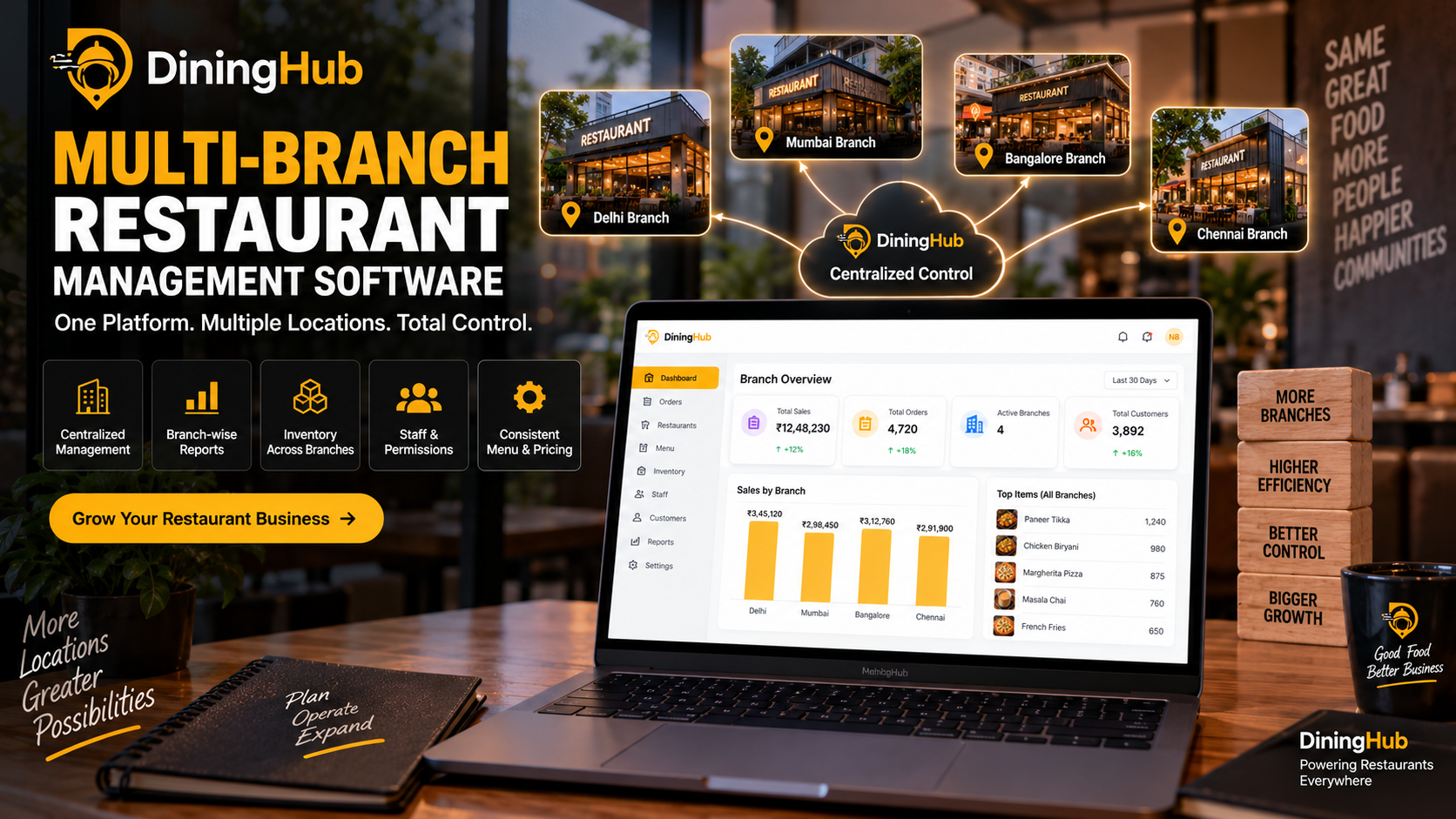
Managing multiple restaurant branches becomes increasingly difficult when each location operates with separate billing systems, inventory records, staff processes, and reports. Multi-branch restaurant management software helps restaurant owners manage multiple locations from one centralized platform
Multi-Branch Restaurant Management Software: Complete Guide
Opening a second restaurant location is an exciting milestone for any restaurant owner.
But as a restaurant grows from one location to multiple branches, managing daily operations becomes much more complicated.
A single restaurant can often be managed using spreadsheets, separate billing systems, manual inventory records, and basic reporting.
With multiple branches, however, restaurant owners need to manage:
- Multiple POS terminals
- Different branch inventories
- Staff across locations
- Purchasing and vendors
- Sales reports
- Customer data
- Menu availability
- Expenses
- Taxes
- Kitchen operations
- Payments
- Branch performance
This is where multi-branch restaurant management software becomes valuable.
Instead of managing every restaurant location separately, owners can use a centralized system to monitor and manage their branches while allowing individual locations to handle their daily operations.
What Is Multi-Branch Restaurant Management Software?
Multi-branch restaurant management software is a centralized restaurant technology platform designed to manage multiple restaurant locations from one system.
It allows restaurant owners and administrators to maintain centralized control over important operations while giving each branch the ability to manage its own day-to-day activities.
A typical multi-branch restaurant management system can connect:
Head Office → Branches → POS → Kitchen → Inventory → Staff → Reports
Depending on the software, restaurant owners can manage:
- Branches
- POS billing
- Tables
- KOT
- Kitchen Display
- Inventory
- Purchasing
- Staff
- Customers
- Loyalty
- Expenses
- Payments
- Reports
- Analytics
This eliminates the need to maintain completely separate systems for every location.
Why Do Restaurants Need Multi-Branch Management Software?
Managing one restaurant is very different from managing five, ten, or fifty locations.
For example, imagine a restaurant chain with five branches.
The owner needs to know:
- Which branch generated the highest sales?
- Which products are selling the most?
- Which branch is wasting more inventory?
- Which location is running low on stock?
- How much did each branch spend?
- Which employees are working?
- Which branch has the highest average order value?
- How are today's sales compared with previous days?
- Are all branches following the same menu and pricing?
Without centralized software, collecting this information manually can take significant time.
A multi-branch restaurant management platform brings this information into one place.
Key Benefits of Multi-Branch Restaurant Management Software
1. Manage Multiple Branches From One Platform
The biggest advantage is centralized management.
Instead of logging into separate systems for every location, restaurant owners can access branch information from a single platform.
This makes it easier to monitor operations across the entire business.
2. Centralized Sales Monitoring
Restaurant owners can monitor sales across different branches.
For example, management can compare:
- Daily sales
- Weekly sales
- Monthly sales
- Order volume
- Average order value
- Payment methods
- Best-selling products
This helps owners understand which locations are performing well and which may require attention.
3. Branch-Wise Inventory Management
Inventory becomes one of the biggest challenges as restaurant businesses expand.
Each branch may have different:
- Stock levels
- Consumption patterns
- Suppliers
- Purchase requirements
- Wastage
- Menu demand
Multi-branch inventory management allows restaurant owners to monitor stock at individual locations while maintaining centralized visibility.
For example:
Branch A → 120 kg inventory
Branch B → 85 kg inventory
Branch C → 150 kg inventory
Management can identify stock shortages and excessive inventory more easily.
4. Centralized Menu Management
Restaurant chains often want their menu and pricing to remain consistent across branches.
A centralized system can make menu management easier by allowing administrators to manage menu information from one place.
Restaurants can manage:
- Food categories
- Items
- Prices
- Variants
- Add-ons
- Availability
Branch-level customization can also be useful when certain dishes are available only at specific locations.
5. Better Staff Management
Managing employees across multiple branches can become difficult without proper software.
A multi-branch restaurant system can help management track:
- Staff
- Roles
- Attendance
- Shifts
- Permissions
- Branch assignments
For example, administrators can control which employees can access billing, inventory, reports, or other sensitive operations.
6. Branch-Level Permissions
Not every employee should have access to every restaurant's data.
Role-based permissions allow businesses to control access based on:
- Employee role
- Branch
- Responsibility
For example:
Super Admin → All Branches
Branch Manager → Assigned Branch
Cashier → POS
Kitchen Staff → Kitchen/KOT
This helps improve operational control.
7. Centralized Customer Management
Customers may visit different branches of the same restaurant brand.
A centralized CRM can help restaurants maintain customer information and understand customer activity across locations.
Restaurants can use customer data for:
- Loyalty programs
- Promotions
- Campaigns
- Repeat-order analysis
- Customer engagement
This is especially useful for restaurant brands with a strong local or regional customer base.
8. Compare Branch Performance
One of the most important benefits of multi-branch software is performance comparison.
Management can compare branches based on metrics such as:
- Revenue
- Orders
- Average order value
- Best-selling items
- Sales channels
- Expenses
- Inventory movement
This helps identify operational differences between locations.
Essential Features of Multi-Branch Restaurant Software
When choosing multi-branch restaurant management software, restaurant owners should look beyond basic billing.
Here are some important features to consider.
1. Multi-Branch POS
The POS should support multiple locations while keeping branch data organized.
Each branch should be able to process:
- Dine-in orders
- Takeaway
- Delivery
- Split bills
- Discounts
- Multiple payment methods
2. Centralized Inventory
Look for inventory functionality that supports branch-level stock management.
Important capabilities include:
- Stock tracking
- SKU management
- Minimum-stock alerts
- Stock movement
- Purchasing
- Warehouses
- Transfers
3. Branch-Wise Reporting
Reporting should allow management to view both:
Overall business performance
and
Individual branch performance
This makes it easier to identify trends and operational problems.
4. Staff & Role Management
The software should support different users and permissions.
This prevents unnecessary access to sensitive business information.
5. Centralized Menu Management
A restaurant chain should be able to maintain consistent menus across branches while allowing location-specific changes when necessary.
6. Kitchen Management
Multi-branch restaurants should also consider kitchen workflows.
Features such as:
- KOT
- Kitchen Display System
- Order status
- Preparation tracking
can help standardize kitchen operations across locations.
7. Online & QR Ordering
Modern restaurant chains may operate multiple ordering channels.
The system should ideally support:
- QR ordering
- Direct online orders
- Delivery orders
- Dine-in
- Takeaway
A centralized platform can help bring these orders into a unified workflow.
8. Cloud-Based Access
Cloud-based restaurant software allows authorized management users to access business information from different locations.
For example, a restaurant owner could monitor branch performance without physically visiting every restaurant.
Centralized vs Separate Restaurant Software
A growing restaurant chain generally has two approaches.
Option 1: Separate Software for Every Branch
Each branch uses a different system.
This can result in:
- Separate reports
- Separate databases
- Duplicate configuration
- Difficult comparisons
- More administrative work
Option 2: Centralized Multi-Branch Platform
All branches operate through a connected system.
For example:
Head Office
↓
Branch 1 | Branch 2 | Branch 3 | Branch 4
↓
POS + Kitchen + Inventory + Staff + Reports
This approach can provide better visibility and standardization.
How to Set Up Multi-Branch Restaurant Software
Step 1: Create Your Organization
Start by creating the restaurant business or organization within the platform.
Step 2: Add Your Branches
Add each restaurant location separately.
For example:
- Delhi Branch
- Gurgaon Branch
- Chandigarh Branch
- Jaipur Branch
Each location can maintain its own operational information.
Step 3: Configure Users and Roles
Assign employees to the appropriate branch and role.
For example:
- Admin
- Branch Manager
- Cashier
- Kitchen Staff
- Inventory Manager
Step 4: Configure Your Menu
Create the restaurant menu and assign it to the required branches.
If certain items are available only at specific locations, configure branch-level availability accordingly.
Step 5: Configure Inventory
Set up:
- Warehouses
- Products
- SKUs
- Stock levels
- Minimum-stock alerts
- Vendors
- Purchasing
This gives management better control over branch inventory.
Step 6: Connect POS and Kitchen
Configure POS billing and kitchen workflows for each branch.
Orders should ideally move through a connected process:
Order → POS → KOT/KDS → Kitchen → Billing → Payment
Step 7: Configure Reports
Set up branch-wise and organization-level reporting.
Management should be able to understand both individual branch performance and overall business performance.
Best Practices for Managing Multiple Restaurant Branches
1. Standardize Your Operations
Create consistent processes for:
- Billing
- Kitchen operations
- Inventory
- Purchasing
- Staff
- Discounts
- Customer service
Standardization makes expansion easier.
2. Monitor Branch Performance Regularly
Don't only look at total company revenue.
Compare branches individually to identify operational differences.
3. Track Inventory Closely
Inventory problems can become expensive when multiplied across several locations.
Monitor:
- Wastage
- Stock movement
- Purchase quantities
- Minimum stock
- Consumption
4. Use Role-Based Permissions
Give employees only the access they need.
This can improve security and reduce accidental changes.
5. Keep Menus Consistent
If your brand has standardized pricing and products, maintain centralized menu control.
At the same time, allow branch-specific availability when required.
6. Analyze More Than Revenue
Revenue alone doesn't tell the complete story.
Also monitor:
- Order volume
- Average order value
- Food cost
- Inventory movement
- Expenses
- Best-selling products
- Sales channels
Common Problems When Managing Multiple Branches
Restaurant chains often face several operational challenges.
Problem 1: Separate Data
Each branch maintains its own records.
Solution: Use centralized restaurant management software.
Problem 2: Inventory Visibility
Management doesn't know which branch has excess or insufficient stock.
Solution: Implement branch-level inventory tracking.
Problem 3: Inconsistent Operations
Different branches follow different processes.
Solution: Standardize workflows and permissions.
Problem 4: Difficult Reporting
Owners spend hours combining branch reports.
Solution: Use centralized dashboards and branch-wise reporting.
Problem 5: Limited Management Visibility
Owners need to physically visit branches to understand performance.
Solution: Use cloud-based reporting and centralized analytics.
Multi-Branch Restaurant Management With DiningHub
DiningHub is designed to help restaurants manage their operations through a connected restaurant platform.
For growing restaurant businesses, DiningHub supports multi-branch operations, allowing management to organize multiple locations while maintaining centralized visibility.
Restaurants can manage operations including:
- POS Billing
- Kitchen Display / KOT
- Inventory
- Purchasing
- Table Management
- QR Ordering
- Online Orders
- CRM
- Loyalty
- Staff Attendance
- Expenses
- Reports
- Analytics
- Payments
This allows restaurant owners to build a connected workflow across branches instead of managing every location as a completely separate operation.
A typical DiningHub workflow can look like:
Branch → Orders → POS → Kitchen → Inventory → Billing → Reports
For restaurant owners planning to expand from one location to multiple branches, having a centralized restaurant operating system can make day-to-day management significantly easier.
Who Should Use Multi-Branch Restaurant Management Software?
Multi-branch restaurant software is particularly useful for:
Restaurant Chains
Businesses operating multiple restaurants under the same brand.
Café Chains
Cafés with multiple locations can standardize menus, billing, and reporting.
QSR Chains
Quick-service restaurant businesses can manage high-volume ordering across branches.
Growing Restaurant Businesses
Restaurants planning to open additional locations can establish centralized systems early.
Franchise Businesses
Franchise-style businesses can use centralized controls while allowing individual locations to manage daily operations.
How to Choose the Right Multi-Branch Restaurant Software
Before selecting a platform, evaluate these factors:
1. Multi-Location Support
Make sure the software can support the number of branches you currently operate and plan to add.
2. POS Integration
Check whether all branches can operate their POS through the same platform.
3. Inventory
Look for branch-wise inventory, purchasing, stock movement, and alerts.
4. Reporting
Ensure you can compare individual branches as well as overall business performance.
5. Permissions
Check whether users can be assigned different roles and branch access.
6. Kitchen Integration
KOT and KDS integration can be important for restaurants with busy kitchens.
7. Online Ordering
Consider whether the platform can handle QR and online orders alongside traditional POS orders.
8. Scalability
Choose software that can grow with your restaurant business instead of forcing you to migrate to another platform later.
Final Thoughts
Opening multiple restaurant locations can create new opportunities, but it also increases operational complexity.
Managing each branch independently can make it difficult to maintain consistent processes, monitor inventory, compare performance, and access business data.
Multi-branch restaurant management software helps solve this problem by bringing important restaurant operations into a connected platform.
With centralized POS, inventory, kitchen operations, staff management, customer management, reporting, and analytics, restaurant owners can gain better visibility across their growing business.
For restaurant businesses planning to expand, the goal shouldn't simply be to open more locations.
The goal should be to build a scalable restaurant operation that can be managed efficiently as the business grows.