Best Restaurant POS Software in India 2026
DiningHub Team · 9/9/2026
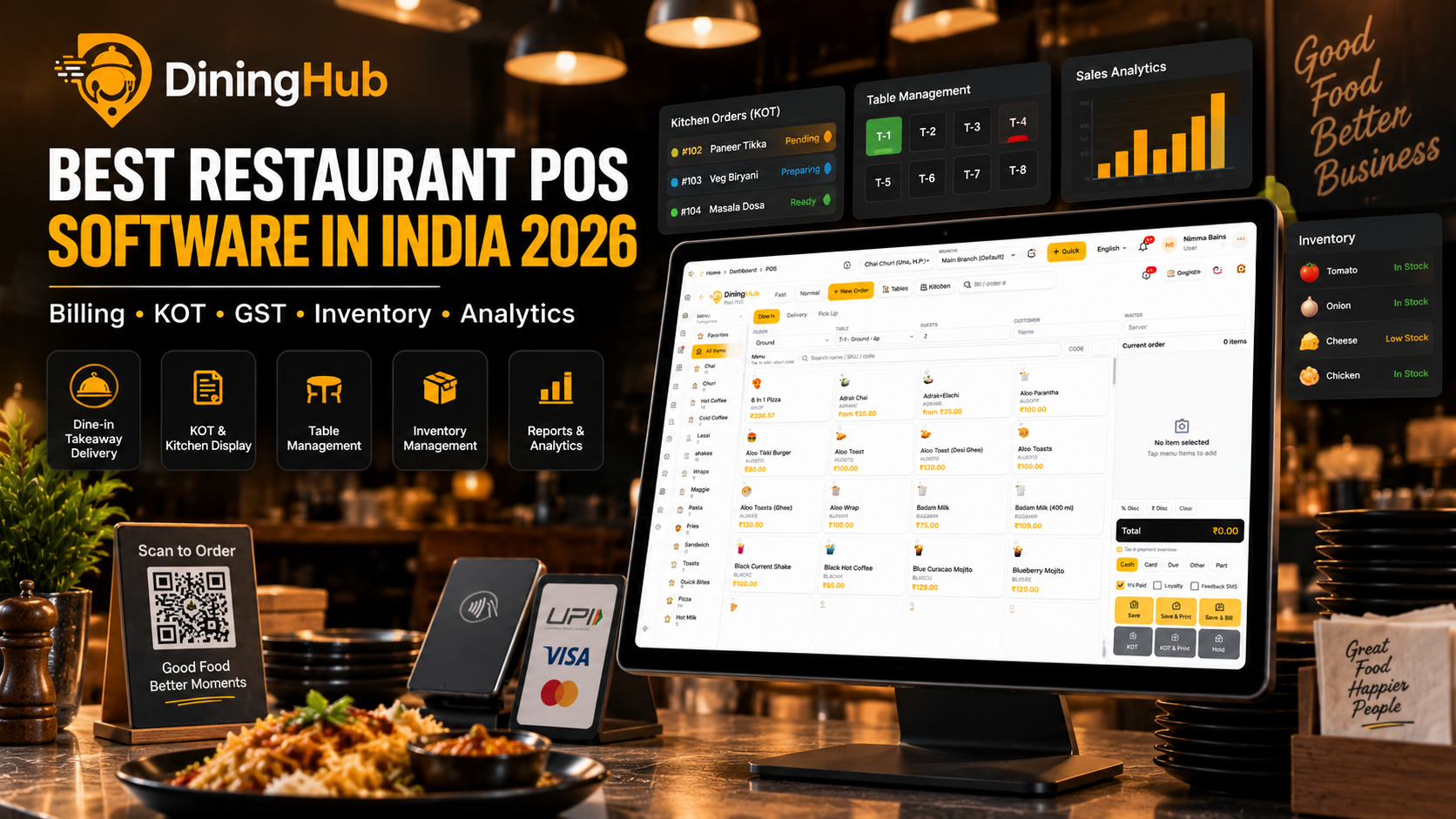
Looking for the best restaurant POS software in India in 2026? A modern restaurant POS should do much more than generate bills. It should connect billing, KOT, kitchen operations, inventory, GST, payments, customer management, online orders and analytics in one platform. This guide explains the most
Best Restaurant POS Software in India 2026
Running a restaurant in India involves much more than taking orders and generating bills.
Your staff needs to manage dine-in orders, takeaway, delivery, tables, KOTs, kitchen coordination, payments, GST, inventory, customers, expenses and daily reports — often during the busiest hours of the day.
That is why choosing the best restaurant POS software in India is an important business decision.
Modern restaurant POS systems are expected to connect front-of-house billing with kitchen operations, inventory, GST reporting, online orders and business analytics instead of functioning as a simple billing machine.
What Is Restaurant POS Software?
Restaurant POS software is a digital system used to manage restaurant orders, billing and daily operations.
A basic POS may only generate bills. A modern restaurant POS can connect multiple parts of the business, including:
- Restaurant billing
- Dine-in, takeaway and delivery orders
- KOT and kitchen management
- Table management
- GST billing
- UPI, card and cash payments
- Inventory and purchasing
- QR ordering
- Online orders
- Customer CRM
- Loyalty programs
- Staff management
- Sales reports
- Business analytics
- Multi-branch management
For Indian restaurants, GST-ready billing, reliable KOT management, inventory control, payment flexibility and integration with online ordering channels are among the key factors to evaluate when choosing a POS.
What Should the Best Restaurant POS Software in India Include?
There is no single POS that is perfect for every restaurant. A small café, cloud kitchen, fine-dining restaurant and multi-branch chain can have very different requirements.
However, there are several features every modern restaurant should consider.
1. Fast Restaurant Billing
Billing should be quick and simple, especially during lunch and dinner rushes.
Look for features such as:
- Dine-in billing
- Takeaway billing
- Delivery billing
- Split bills
- Discounts
- Multiple payment methods
- Easy order editing
- Fast checkout
- Thermal receipt printing
A POS should reduce the number of steps required to complete an order instead of making staff work through complicated screens.
2. KOT and Kitchen Display System
Kitchen communication is one of the most important parts of restaurant operations.
A good POS should send orders directly to the kitchen through KOT or a Kitchen Display System.
The kitchen team should be able to understand the status of every order, such as:
Pending → Preparing → Ready
This reduces dependency on handwritten tickets and helps front-of-house and kitchen teams stay synchronized.
DiningHub includes a real-time Kitchen Display workflow designed around pending, preparing and ready order statuses.
3. GST-Compliant Restaurant Billing
GST billing is another major consideration for Indian restaurant owners.
Your POS should make it easy to configure and apply:
- GST
- CGST
- SGST
- Applicable tax settings
- Tax reports
- GST-ready invoices
DiningHub supports GST, SGST and CGST configuration with tax application at POS checkout and GST-ready sales reporting.
Always configure tax settings according to your business structure and confirm compliance requirements with your tax professional.
4. Inventory Management
Inventory can directly affect restaurant profitability.
Without proper stock management, restaurants can struggle with:
- Overstocking
- Stock shortages
- Wastage
- Purchasing errors
- Untracked movement
- Food-cost visibility
A good restaurant POS should help you manage products, SKUs, warehouses, stock levels and purchasing.
DiningHub provides inventory features including warehouses, SKUs, minimum-stock alerts and stock movement logs.
5. Table Management
For dine-in restaurants, table management is essential.
The POS should provide a clear view of:
- Available tables
- Occupied tables
- Tables with active bills
- Table transfers
- Table merging
- Reservations
- Guest information
This helps restaurant staff understand the floor without relying on paper notes or verbal communication.
DiningHub includes live floor status along with table merge, transfer and reservation functionality.
6. QR Ordering
QR ordering has become an important option for restaurants that want customers to browse the menu and place orders directly from their phones.
With QR ordering, customers can:
- Scan a table QR code
- View the menu
- Select items
- Place the order
- Send the order into the restaurant workflow
DiningHub supports QR ordering where guests can scan, browse the menu and order from their phones.
7. Online Order Management
Restaurants increasingly operate across multiple sales channels.
A POS should ideally bring orders from different channels into a manageable workflow.
DiningHub supports online-order synchronization across Swiggy, Zomato and direct online channels, helping restaurants manage multiple order sources from their operating system.
Why DiningHub Is a Strong Restaurant POS Choice in 2026
DiningHub is designed as more than a restaurant billing application.
It combines restaurant operations into one platform, including:
- POS Billing
- Kitchen Display
- Inventory
- Table Management
- QR Ordering
- Online Orders
- CRM
- Loyalty
- Staff Attendance
- Expense Tracking
- Reports
- Analytics
- GST Billing
- Thermal Printing
- Cloud Sync
- Offline Mode
- Multi-Branch Management
- Role Permissions
- Payment Gateway
- WhatsApp Alerts
The biggest advantage of this approach is that restaurant owners do not have to manage completely separate systems for every part of their operation.
DiningHub POS Features at a Glance
| FeatureDiningHub | |
| Restaurant POS Billing | ✓ |
| Dine-in / Takeaway / Delivery | ✓ |
| KOT | ✓ |
| Kitchen Display | ✓ |
| Table Management | ✓ |
| QR Ordering | ✓ |
| Inventory Management | ✓ |
| GST Billing | ✓ |
| UPI / Card / Wallet Payments | ✓ |
| Online Orders | ✓ |
| Swiggy & Zomato Sync | ✓ |
| CRM | ✓ |
| Loyalty | ✓ |
| Staff Management | ✓ |
| Reports | ✓ |
| Analytics | ✓ |
| Offline Billing | ✓ |
| Multi-Branch | ✓ |
| Role Permissions | ✓ |
These capabilities are listed on DiningHub's current platform.
DiningHub Pricing
Pricing is another important factor when choosing restaurant POS software.
DiningHub currently offers three subscription plans:
Basic — ₹699/month
Suitable for restaurants starting with a single branch.
Includes:
- 1 branch
- Up to 50 users
- POS + Kitchen D
- Display
- QR Ordering & Tables
- Inventory & Purchasing
- CRM & Loyalty
Pro — ₹1,299/month
Designed for businesses requiring more users while operating one branch.
Includes:
- 1 branch
- Up to 100 users
- POS + Kitchen Display
- QR Ordering & Tables
- Inventory & Purchasing
- CRM & Loyalty
Ultimate — ₹2,499/month
Designed for businesses operating multiple branches.
Includes:
- Up to 3 branches
- Up to 100 users
- POS + Kitchen Display
- QR Ordering & Tables
- Inventory & Purchasing
- CRM & Loyalty
DiningHub currently also offers a 14-day free trial with no credit card, along with free onboarding and menu setup.
Which Restaurants Can Use DiningHub?
Restaurant POS requirements vary by business model.
DiningHub is positioned for multiple restaurant formats, including:
Cafés
Manage billing, tables, QR orders, inventory and customer loyalty from one platform.
Fine-Dining Restaurants
Manage tables, orders, KOTs, split bills, payments and customer information.
Cloud Kitchens
Handle orders, kitchen workflows, inventory and online channels without traditional table management.
QSRs
Speed up billing and kitchen operations while managing high order volumes.
Hotels and Food Businesses
Manage restaurant operations alongside inventory, reports and customer management.
Multi-Branch Restaurant Chains
Use centralized management and multi-branch functionality to monitor multiple outlets.
How to Choose the Best POS for Your Restaurant
Before purchasing restaurant POS software, don't compare products only by the monthly subscription price.
Ask these questions:
1. Is billing fast enough for peak hours?
Test the system during a busy service period.
2. Does it support your kitchen workflow?
Check whether KOT and kitchen display features match your restaurant's actual process.
3. Is GST handled properly?
Check tax configuration, invoices and reporting.
4. Can it handle your payment methods?
Make sure your restaurant can manage cash, UPI, cards and other required payment methods.
5. Does it work when the internet goes down?
Offline capability can be especially important when reliable connectivity isn't guaranteed. Modern POS buying guides also identify offline resilience as an important evaluation criterion.
6. Can it scale with your business?
If you plan to open additional branches, check multi-branch capabilities before choosing a system.
7. Does it reduce the number of separate tools?
A platform that connects billing, kitchen, inventory, CRM and reporting can reduce duplicate data entry and operational complexity.
Final Verdict: Which Is the Best Restaurant POS Software in India in 2026?
The best restaurant POS software isn't necessarily the one with the longest feature list.
It should be the system that makes your restaurant easier to operate every day.
For Indian restaurants, the most important areas to evaluate are:
Fast billing + reliable KOT + GST billing + inventory + payments + online orders + reporting + scalability.
DiningHub brings these restaurant operations together in one platform, making it a strong option for cafés, restaurants, cloud kitchens, QSRs and growing multi-branch businesses.
If you want to see how the system works before choosing a POS, DiningHub offers a 14-day free trial with no credit card requirement.
Ready to run your restaurant smarter? Start with DiningHub and see how your restaurant operations can work from one platform.